Friday, July 13, 2012

Start using Dropbox!

Hi Xia,

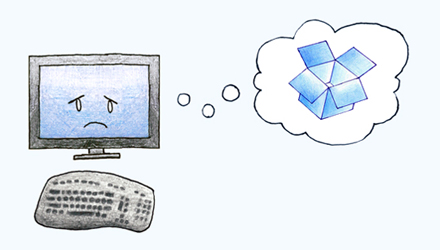
We noticed that you signed up for Dropbox a while ago, but never installed the software. Installing Dropbox lets you:
  • Easily save files to your Dropbox.
  • Get to your files from any computer or phone.
  • Share photos or docs straight from your desktop.
Download Dropbox here.

Enjoy!
- The Dropbox Team

If you need a refresher, check out our tour.

Saturday, July 7, 2012

Get free Dropbox space!

Hi Xia,

Thanks for supercharging your Samsung device with Dropbox! To claim your 48 GB of space, complete five steps from our Get Started guide.

Enjoy,
- The Dropbox Team

Friday, July 6, 2012

Bonus space received!

Hi Xia,

We think it's awesome that you've automatically uploaded photos to Dropbox! You received 500 MB bonus space with your first camera upload. As you take and upload more, you can earn up to 3 GB total!

Check out your photos by signing into your Dropbox on the web.

Happy picture taking!
- The Dropbox Team

P.S. You can always get more space by inviting your friends or going Pro!

Thursday, July 5, 2012

Make the most of your new Dropbox app!

Hi Xia,

Thanks for joining Dropbox from our Android app!

Here's how to get the most out of your Dropbox:
  • Download and install Dropbox on your computer.

  • Any file you place in your computer's Dropbox folder will be saved to all your computers as well as your Android device!

  • Take photos or videos from the Android app and you can get to them from any of your computers.
Welcome to Dropbox!
- The Dropbox Team

P.S. Get extra space free.